GeneralUpdate.ClientCore
组件概览
GeneralUpdate.ClientCore 是 GeneralUpdate 框架的核心组件之一,提供了丰富的客户端更新功能。该组件运行在主应用程序中,负责检查更新、下载更新包、验证完整性,并在完成后启动升级助手(GeneralUpdate.Core)来执行实际的文件替换操作。ClientCore 的设计理念是让主程序能够安全地检查和准备更新,而不影响当前运行状态。
命名空间: GeneralUpdate.ClientCore
程序集: GeneralUpdate.ClientCore.dll
public class GeneralClientBootstrap : AbstractBootstrap<GeneralClientBootstrap, IStrategy>
核心特性
1. 多版本下载管理
- 支持同时下载多个版本的更新包
- 断点续传和下载速度限制
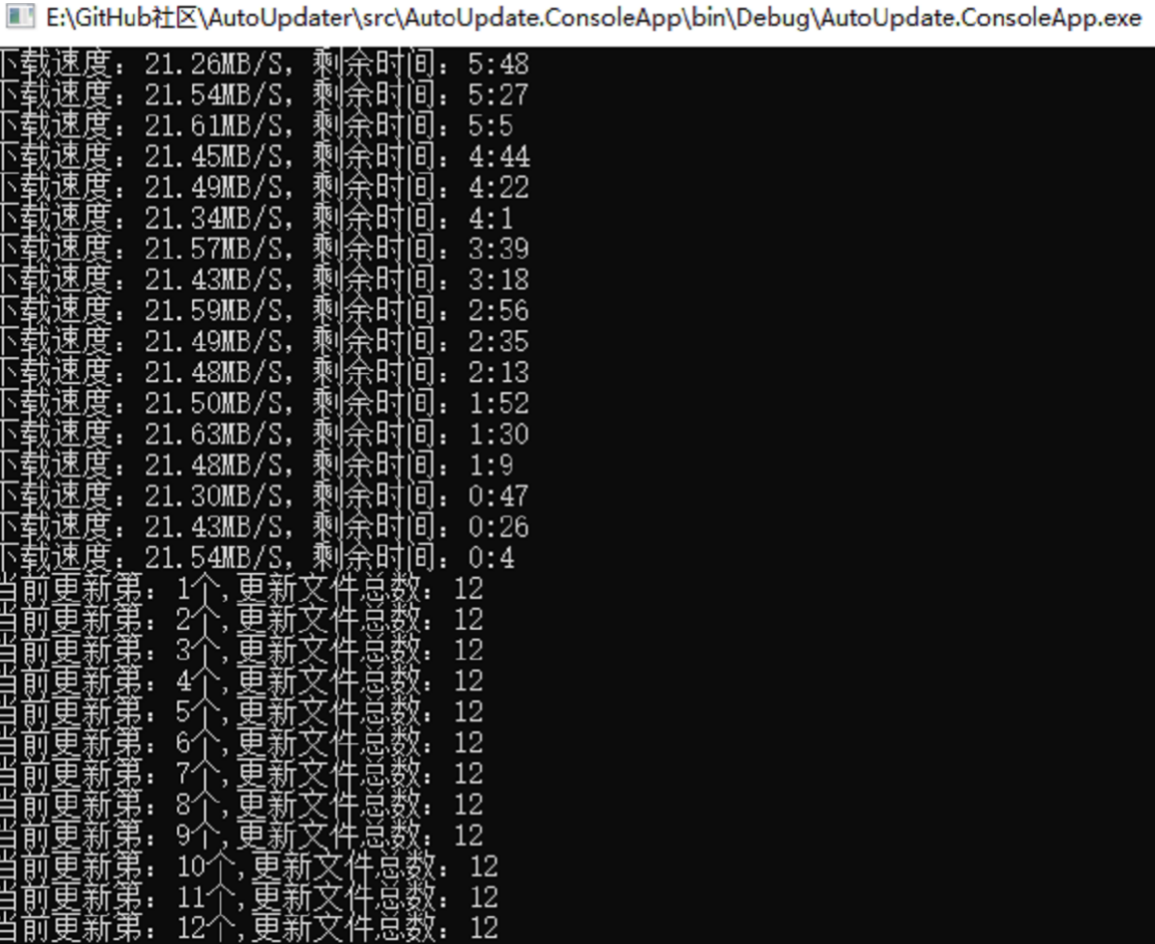
- 实时下载进度和统计信息
2. 灵活的配置选项
- 黑名单机制(文件、格式、目录)
- 自定义更新策略和操作
- 支持二进制差异更新和全量更新
ConfiginfoBuilder零配置构建器,只需三个参数即可完成配置
3. 完整的事件通知
- 下载进度、完成、错误事件
- 更新版本信息通知(
AddListenerUpdateInfo) - 统一更新预检回调(
AddListenerUpdatePrecheck) - 异常和错误全程监控
4. 静默更新模式
- 后台轮询检测新版本(默认每 20 分钟一次)
- 静默下载并准备更新包
- 在主程序退出后自动启动升级流程
5. 多平台支持
- Windows、Linux、macOS 平台支持
- 自动平台检测和策略选择
快速开始
安装
通过 NuGet 安装 GeneralUpdate.ClientCore:
dotnet add package GeneralUpdate.ClientCore
初始化与使用
以下示例展示了如何在主程序中配置和启动更新检查:
using System.Text;
using GeneralUpdate.ClientCore;
using GeneralUpdate.Common.Download;
using GeneralUpdate.Common.Internal;
using GeneralUpdate.Common.Internal.Bootstrap;
using GeneralUpdate.Common.Shared.Object;

try
{
    Console.WriteLine($"主程序初始化,{DateTime.Now}!");

    // 配置更新参数
    var configinfo = new Configinfo
    {
        // 更新验证 API 地址
        UpdateUrl = "http://127.0.0.1:5000/Upgrade/Verification",
        // 更新报告 API 地址
        ReportUrl = "http://127.0.0.1:5000/Upgrade/Report",
        // 主应用程序名称
        MainAppName = "ClientSample.exe",
        // 升级程序名称
        AppName = "UpgradeSample.exe",
        // 当前客户端版本
        ClientVersion = "1.0.0.0",
        // 升级端版本
        UpgradeClientVersion = "1.0.0.0",
        // 安装路径
        InstallPath = Thread.GetDomain().BaseDirectory,
        // 产品 ID(用于多产品分支管理)
        ProductId = "2d974e2a-31e6-4887-9bb1-b4689e98c77a",
        // 应用密钥(用于服务器验证)
        AppSecretKey = "dfeb5833-975e-4afb-88f1-6278ee9aeff6"
    };

    // 启动更新流程
    await new GeneralClientBootstrap()
        // 监听下载统计信息
        .AddListenerMultiDownloadStatistics(OnMultiDownloadStatistics)
        // 监听单个下载完成
        .AddListenerMultiDownloadCompleted(OnMultiDownloadCompleted)
        // 监听所有下载完成
        .AddListenerMultiAllDownloadCompleted(OnMultiAllDownloadCompleted)
        // 监听下载错误
        .AddListenerMultiDownloadError(OnMultiDownloadError)
        // 监听异常
        .AddListenerException(OnException)
        // 设置配置
        .SetConfig(configinfo)
        // 设置选项
        .Option(UpdateOption.DownloadTimeOut, 60)
        .Option(UpdateOption.Encoding, Encoding.Default)
        // 启动异步更新
        .LaunchAsync();

    Console.WriteLine($"主程序已启动,{DateTime.Now}!");
}
catch (Exception e)
{
    Console.WriteLine(e.Message + "\n" + e.StackTrace);
}

// 事件处理方法
void OnMultiDownloadStatistics(object arg1, MultiDownloadStatisticsEventArgs arg2)
{
    var version = arg2.Version as VersionInfo;
    Console.WriteLine($"下载版本:{version.Version},速度:{arg2.Speed}," +
                     $"剩余时间:{arg2.Remaining},进度:{arg2.ProgressPercentage}%");
}

void OnMultiDownloadCompleted(object arg1, MultiDownloadCompletedEventArgs arg2)
{
    var version = arg2.Version as VersionInfo;
    Console.WriteLine(arg2.IsComplated ?
        $"版本 {version.Version} 下载完成!" :
        $"版本 {version.Version} 下载失败!");
}

void OnMultiAllDownloadCompleted(object arg1, MultiAllDownloadCompletedEventArgs arg2)
{
    Console.WriteLine(arg2.IsAllDownloadCompleted ?
        "所有下载任务已完成!" :
        $"下载任务失败!失败数量:{arg2.FailedVersions.Count}");
}

void OnMultiDownloadError(object arg1, MultiDownloadErrorEventArgs arg2)
{
    var version = arg2.Version as VersionInfo;
    Console.WriteLine($"版本 {version.Version} 下载错误:{arg2.Exception}");
}

void OnException(object arg1, ExceptionEventArgs arg2)
{
    Console.WriteLine($"更新异常:{arg2.Exception}");
}
核心 API 参考
GeneralClientBootstrap 类方法
LaunchAsync 方法
异步启动更新流程。
public async Task<GeneralClientBootstrap> LaunchAsync()
SetConfig 方法
设置更新配置信息。
public GeneralClientBootstrap SetConfig(Configinfo configinfo)
Option 方法
设置更新选项。
public GeneralClientBootstrap Option(UpdateOption option, object value)
SetBlacklist 方法
设置更新黑名单,指定不需要更新的文件。
public GeneralClientBootstrap SetBlacklist(List<string> blackFiles = null,
                                           List<string> blackFormats = null)
AddListenerMultiDownloadStatistics 方法
监听下载统计信息(速度、进度、剩余时间等)。
public GeneralClientBootstrap AddListenerMultiDownloadStatistics(
    Action<object, MultiDownloadStatisticsEventArgs> callbackAction)
AddListenerMultiDownloadCompleted 方法
监听单个更新包下载完成事件。
public GeneralClientBootstrap AddListenerMultiDownloadCompleted(
    Action<object, MultiDownloadCompletedEventArgs> callbackAction)
AddListenerMultiAllDownloadCompleted 方法
监听所有下载任务完成事件。
public GeneralClientBootstrap AddListenerMultiAllDownloadCompleted(
    Action<object, MultiAllDownloadCompletedEventArgs> callbackAction)
AddListenerMultiDownloadError 方法
监听下载错误事件。
public GeneralClientBootstrap AddListenerMultiDownloadError(
    Action<object, MultiDownloadErrorEventArgs> callbackAction)
AddListenerException 方法
监听更新过程中的所有异常。
public GeneralClientBootstrap AddListenerException(
    Action<object, ExceptionEventArgs> callbackAction)
AddCustomOption 方法
添加自定义异步操作,可在更新前后执行自定义逻辑。
public GeneralClientBootstrap AddCustomOption(Func<Task> customFunc)
AddListenerUpdateInfo 方法
注册更新版本信息回调。版本验证完成后立即触发,可用于展示更新日志或版本列表。
public GeneralClientBootstrap AddListenerUpdateInfo(
    Action<object, UpdateInfoEventArgs> callbackAction)
UpdateInfoEventArgs 属性:
Info:VersionRespDTO— 服务端返回的版本响应数据,包含可用版本列表及每个版本的UpdateLog字段
示例:
.AddListenerUpdateInfo((sender, e) =>
{
    foreach (var v in e.Info.Body ?? [])
        Console.WriteLine($"{v.Version}: {v.UpdateLog}");
})
AddListenerUpdatePrecheck 方法
注册更新预检回调,将更新信息通知和跳过更新决策合并为单一入口。回调接收完整的 UpdateInfoEventArgs(版本列表、强制更新标志等),返回 true 跳过更新,返回 false 继续更新。
注意: 此方法替代了旧的
AddListenerUpdateInfo+SetCustomSkipOption组合写法。IsForcibly为强制更新时,回调返回值将被忽略,更新始终执行。
public GeneralClientBootstrap AddListenerUpdatePrecheck(
    Func<UpdateInfoEventArgs, bool> precheckFunc)
示例:
.AddListenerUpdatePrecheck(updateInfo =>
{
    // 在此可访问完整版本信息
    bool userChoseSkip = ShowUpdateDialog(updateInfo.Info);
    return userChoseSkip; // true = 跳过, false = 继续更新
})
配置类详解
Configinfo 类
public class Configinfo
{
    /// <summary>
    /// 更新检查 API 地址
    /// </summary>
    public string UpdateUrl { get; set; }

    /// <summary>
    /// 更新状态报告 API 地址
    /// </summary>
    public string ReportUrl { get; set; }

    /// <summary>
    /// 需要启动的应用程序名称(升级程序)
    /// </summary>
    public string AppName { get; set; }

    /// <summary>
    /// 需要启动的主应用程序名称
    /// </summary>
    public string MainAppName { get; set; }

    /// <summary>
    /// 更新日志网页地址
    /// </summary>
    public string UpdateLogUrl { get; set; }

    /// <summary>
    /// 应用密钥,与服务器约定用于身份验证和产品分支
    /// </summary>
    public string AppSecretKey { get; set; }

    /// <summary>
    /// 当前客户端版本号
    /// </summary>
    public string ClientVersion { get; set; }

    /// <summary>
    /// 当前升级客户端版本号
    /// </summary>
    public string UpgradeClientVersion { get; set; }

    /// <summary>
    /// 安装路径(用于更新文件逻辑)
    /// </summary>
    public string InstallPath { get; set; }

    /// <summary>
    /// 黑名单文件列表,这些文件在更新时会被跳过
    /// </summary>
    public List<string> BlackFiles { get; set; }

    /// <summary>
    /// 黑名单文件格式列表,这些格式的文件在更新时会被跳过
    /// </summary>
    public List<string> BlackFormats { get; set; }

    /// <summary>
    /// 需要跳过的目录路径列表,这些目录不需要更新
    /// </summary>
    public List<string> SkipDirectorys { get; set; }

    /// <summary>
    /// 当前产品分支的唯一 ID
    /// </summary>
    public string ProductId { get; set; }

    /// <summary>
    /// Bowl 监控进程路径,更新完成后启动 Bowl 检查客户端是否正常启动
    /// </summary>
    public string Bowl { get; set; }

    /// <summary>
    /// HTTP 请求中用于传递 token 的 Scheme(如 Bearer)
    /// </summary>
    public string Scheme { get; set; }

    /// <summary>
    /// HTTP 请求中用于身份验证的 Token
    /// </summary>
    public string Token { get; set; }

    /// <summary>
    /// Linux 平台下的脚本,用于在更新完成后为文件分配权限
    /// </summary>
    public string Script { get; set; }

    /// <summary>
    /// 驱动程序目录路径,指定包含需要更新的驱动文件的目录
    /// </summary>
    public string DriverDirectory { get; set; }
}
UpdateOption 枚举
public enum UpdateOption
{
    /// <summary>
    /// 更新包文件格式(默认为 Zip)
    /// </summary>
    Format,

    /// <summary>
    /// 压缩编码格式
    /// </summary>
    Encoding,

    /// <summary>
    /// 下载超时时间(秒)。如果不指定,默认超时时间为 30 秒
    /// </summary>
    DownloadTimeOut,

    /// <summary>
    /// 是否启用二进制差异更新功能,默认启用;设置为 false 则执行全量覆盖安装
    /// </summary>
    Patch,

    /// <summary>
    /// 是否在更新前启用备份功能,默认启用;设置为 false 则不进行备份
    /// </summary>
    BackUp,

    /// <summary>
    /// 是否启用静默更新模式。启用后将在后台轮询检测新版本、静默下载更新包,
    /// 并在主程序退出后自动启动升级流程,不影响用户的正常使用。
    /// </summary>
    EnableSilentUpdate
}
ConfiginfoBuilder 构建器
ConfiginfoBuilder 是零配置模式的 Configinfo 构建器,灵感来自 Velopack 的设计。只需提供三个必填参数即可自动生成完整的平台适配配置。
命名空间: GeneralUpdate.Common.Shared.Object
特性
- 仅需三个参数:
UpdateUrl、Token、Scheme - 自动从
.csproj文件提取应用名称、版本号和发布者信息 - 自动适配 Windows / Linux / macOS 平台差异(路径、权限脚本等)
- 安装路径默认使用宿主程序所在目录(
AppDomain.CurrentDomain.BaseDirectory)
快速使用
using GeneralUpdate.Common.Shared.Object;

// 零配置:从 .csproj 自动提取名称、版本、发布者
var config = ConfiginfoBuilder
    .Create("https://api.example.com/updates", "your-token", "Bearer")
    .Build();

await new GeneralClientBootstrap()
    .SetConfig(config)
    .LaunchAsync();
自定义覆盖
var config = ConfiginfoBuilder
    .Create("https://api.example.com/updates", "your-token", "Bearer")
    .SetAppName("CustomApp.exe")        // 覆盖自动检测的名称
    .SetClientVersion("2.0.0")          // 覆盖自动检测的版本
    .SetInstallPath("/custom/path")     // 覆盖安装路径
    .Build();
自动提取规则
| 配置项 | 提取来源 | csproj 字段 | 映射目标 |
|---|---|---|---|
| 应用名称 | 项目文件 | <AssemblyName> 或文件名 | AppName、MainAppName |
| 版本号 | 项目文件 | <Version> | ClientVersion、UpgradeClientVersion |
| 发布者 | 项目文件 | <Company> 或 <Authors> | ProductId |
| 安装路径 | 宿主程序运行时目录 | — | InstallPath |
平台支持
| 平台 | 应用名称后缀 | 默认脚本 |
|---|---|---|
| Windows | .exe | 无 |
| Linux | 无后缀 | chmod 权限脚本 |
| macOS | 无后缀 | chmod 权限脚本 |
实际使用示例
示例 1:基本更新流程
using GeneralUpdate.ClientCore;
using GeneralUpdate.Common.Internal;

var config = new Configinfo
{
    UpdateUrl = "http://your-server.com/api/update/check",
    ReportUrl = "http://your-server.com/api/update/report",
    MainAppName = "MyApp.exe",
    AppName = "Updater.exe",
    ClientVersion = "1.0.0.0",
    UpgradeClientVersion = "1.0.0.0",
    InstallPath = AppDomain.CurrentDomain.BaseDirectory,
    ProductId = "your-product-id",
    AppSecretKey = "your-secret-key"
};

await new GeneralClientBootstrap()
    .SetConfig(config)
    .AddListenerException((sender, args) =>
    {
        Console.WriteLine($"更新异常: {args.Exception.Message}");
    })
    .LaunchAsync();
示例 2:带黑名单的更新
using GeneralUpdate.ClientCore;
using GeneralUpdate.Common.Internal;

var config = new Configinfo
{
    UpdateUrl = "http://your-server.com/api/update/check",
    ClientVersion = "1.0.0.0",
    InstallPath = AppDomain.CurrentDomain.BaseDirectory,
    // 黑名单配置
    BlackFiles = new List<string> { "config.json", "userdata.db" },
    BlackFormats = new List<string> { ".log", ".cache" },
    SkipDirectorys = new List<string> { "logs", "temp" }
};

await new GeneralClientBootstrap()
    .SetConfig(config)
    .LaunchAsync();
示例 3:自定义更新选项
using System.Text;
using GeneralUpdate.ClientCore;
using GeneralUpdate.Common.Internal;
using GeneralUpdate.Common.Internal.Bootstrap;

var config = new Configinfo
{
    UpdateUrl = "http://your-server.com/api/update/check",
    ClientVersion = "1.0.0.0",
    InstallPath = AppDomain.CurrentDomain.BaseDirectory
};

await new GeneralClientBootstrap()
    .SetConfig(config)
    // 设置下载超时
    .Option(UpdateOption.DownloadTimeOut, 120)
    // 设置编码格式
    .Option(UpdateOption.Encoding, Encoding.UTF8)
    // 启用二进制差异更新
    .Option(UpdateOption.Patch, true)
    // 启用备份
    .Option(UpdateOption.BackUp, true)
    .LaunchAsync();
示例 4:完整的事件监听
using GeneralUpdate.ClientCore;
using GeneralUpdate.Common.Download;
using GeneralUpdate.Common.Internal;
using GeneralUpdate.Common.Shared.Object;

var config = new Configinfo
{
    UpdateUrl = "http://your-server.com/api/update/check",
    ClientVersion = "1.0.0.0",
    InstallPath = AppDomain.CurrentDomain.BaseDirectory
};

await new GeneralClientBootstrap()
    .SetConfig(config)
    // 下载统计
    .AddListenerMultiDownloadStatistics((sender, args) =>
    {
        var version = args.Version as VersionInfo;
        Console.WriteLine($"[{version.Version}] 进度: {args.ProgressPercentage}% | " +
                         $"速度: {args.Speed} | 剩余: {args.Remaining}");
    })
    // 单个下载完成
    .AddListenerMultiDownloadCompleted((sender, args) =>
    {
        var version = args.Version as VersionInfo;
        if (args.IsComplated)
            Console.WriteLine($"✓ 版本 {version.Version} 下载成功");
        else
            Console.WriteLine($"✗ 版本 {version.Version} 下载失败");
    })
    // 所有下载完成
    .AddListenerMultiAllDownloadCompleted((sender, args) =>
    {
        if (args.IsAllDownloadCompleted)
            Console.WriteLine("✓ 所有更新包下载完成,准备安装...");
        else
            Console.WriteLine($"✗ 下载失败,共 {args.FailedVersions.Count} 个版本失败");
    })
    // 下载错误
    .AddListenerMultiDownloadError((sender, args) =>
    {
        var version = args.Version as VersionInfo;
        Console.WriteLine($"✗ 版本 {version.Version} 下载错误: {args.Exception.Message}");
    })
    // 异常处理
    .AddListenerException((sender, args) =>
    {
        Console.WriteLine($"⚠ 更新异常: {args.Exception.Message}\n{args.Exception.StackTrace}");
    })
    .LaunchAsync();
示例 5:更新预检与跳过(AddListenerUpdatePrecheck)
using GeneralUpdate.ClientCore;
using GeneralUpdate.Common.Internal;

var config = new Configinfo
{
    UpdateUrl = "http://your-server.com/api/update/check",
    ClientVersion = "1.0.0.0",
    InstallPath = AppDomain.CurrentDomain.BaseDirectory
};

await new GeneralClientBootstrap()
    .SetConfig(config)
    // 统一的更新预检回调:可获取版本信息并决定是否跳过
    .AddListenerUpdatePrecheck(updateInfo =>
    {
        Console.WriteLine($"发现 {updateInfo.Info.Body?.Count ?? 0} 个新版本");
        Console.WriteLine("是否现在更新?(y/n)");
        var input = Console.ReadLine();
        return input?.ToLower() != "y"; // true = 跳过, false = 继续更新
    })
    .AddListenerException((sender, args) =>
    {
        Console.WriteLine($"更新异常:{args.Exception.Message}");
    })
    .LaunchAsync();
示例 6:静默更新模式(EnableSilentUpdate)
using GeneralUpdate.ClientCore;
using GeneralUpdate.Common.Internal;
using GeneralUpdate.Common.Internal.Bootstrap;

var config = new Configinfo
{
    UpdateUrl = "http://your-server.com/api/update/check",
    ClientVersion = "1.0.0.0",
    InstallPath = AppDomain.CurrentDomain.BaseDirectory
};

// 启用静默更新:后台每 20 分钟轮询,主程序退出后自动启动升级
await new GeneralClientBootstrap()
    .SetConfig(config)
    .Option(UpdateOption.EnableSilentUpdate, true)
    .AddListenerException((sender, args) =>
    {
        Console.WriteLine($"静默更新异常:{args.Exception.Message}");
    })
    .LaunchAsync();
示例 7:使用 ConfiginfoBuilder 零配置构建
using GeneralUpdate.ClientCore;
using GeneralUpdate.Common.Shared.Object;

// 从 .csproj 自动提取应用名称、版本和发布者
var config = ConfiginfoBuilder
    .Create("http://your-server.com/api/update/check", "your-token", "Bearer")
    .Build();

await new GeneralClientBootstrap()
    .SetConfig(config)
    .AddListenerException((sender, args) =>
    {
        Console.WriteLine($"更新异常:{args.Exception.Message}");
    })
    .LaunchAsync();
注意事项与警告
⚠️ 重要提示
-
版本号格式
- 版本号必须遵循语义化版本规范(如 1.0.0.0)
- 确保客户端和服务器端版本号格式一致
-
网络连接
- 确保更新服务器地址可访问
- 建议实现重试机制处理网络波动
-
进程管理
- 更新过程会关闭主程序并启动升级助手
- 确保保存所有用户数据后再执行更新
-
权限要求
- 在 Windows 上可能需要管理员权限来替换文件
- 在 Linux/macOS 上需要适当的文件系统权限
-
黑名单使用
- 黑名单中的文件和目录不会被更新
- 常用于保护配置文件、用户数据等
-
更新预检回调
AddListenerUpdatePrecheck已替代旧的SetCustomSkipOption+AddListenerUpdateInfo组合- 强制更新(
IsForcibly = true)时,回调返回值被忽略,更新始终执行
-
静默更新
EnableSilentUpdate不改变默认更新行为,需显式启用- 静默模式下,升级助手将在主程序退出事件触发后才启动
💡 最佳实践
- 零配置构建:优先使用
ConfiginfoBuilder.Create()减少手动配置错误 - 备份策略:始终启用 BackUp 选项,以便更新失败时可以回滚
- 差异更新:启用 Patch 选项以减少下载量和更新时间
- 错误处理:实现完整的异常监听和错误处理逻辑
- 用户体验:使用
AddListenerUpdatePrecheck在更新前提示用户并允许选择更新时机 - 测试验证:在生产环境部署前充分测试更新流程
适用平台
| 产品 | 版本 |
|---|---|
| .NET | 5, 6, 7, 8, 9, 10 |
| .NET Framework | 4.6.1 |
| .NET Standard | 2.0 |
| .NET Core | 2.0 |
相关资源
- 示例代码:查看 GitHub 示例
- 主仓库:GeneralUpdate 项目