GeneralUpdate.ClientCore
Component Overview
GeneralUpdate.ClientCore is one of the core components of the GeneralUpdate framework, providing rich client-side update functionalities. This component runs in the main application and is responsible for checking updates, downloading update packages, validating integrity, and then launching the upgrade assistant (GeneralUpdate.Core) to perform actual file replacement operations upon completion. The design philosophy of ClientCore is to enable the main program to safely check and prepare updates without affecting the current running state.
Namespace: GeneralUpdate.ClientCore
Assembly: GeneralUpdate.ClientCore.dll
public class GeneralClientBootstrap : AbstractBootstrap<GeneralClientBootstrap, IStrategy>
Core Features
1. Multi-Version Download Management
- Support downloading multiple version update packages simultaneously
- Resume download and download speed limiting
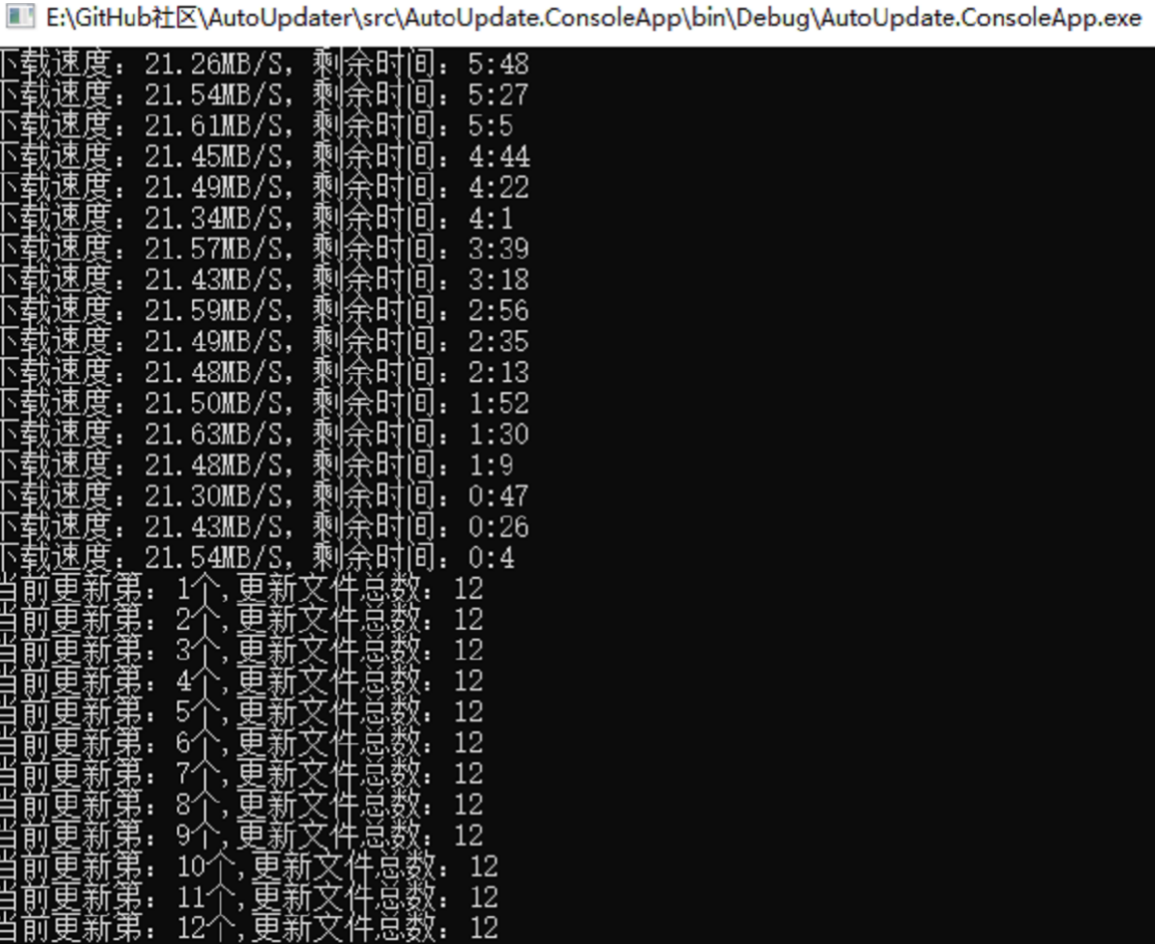
- Real-time download progress and statistics
2. Flexible Configuration Options
- Blacklist mechanism (files, formats, directories)
- Custom update strategies and operations
- Support binary differential updates and full updates
ConfiginfoBuilderzero-configuration builder requiring only three parameters
3. Comprehensive Event Notifications
- Download progress, completion, and error events
- Update version info notification (
AddListenerUpdateInfo) - Unified update precheck callback (
AddListenerUpdatePrecheck) - Exception and error monitoring throughout the process
4. Silent Update Mode
- Background polling for new versions (default every 20 minutes)
- Silent download and update package preparation
- Automatically launches the updater after the host process exits
5. Multi-Platform Support
- Windows, Linux, macOS platform support
- Automatic platform detection and strategy selection
Quick Start
Installation
Install GeneralUpdate.ClientCore via NuGet:
dotnet add package GeneralUpdate.ClientCore
Initialization and Usage
The following example demonstrates how to configure and launch update checking in the main program:
using System.Text;
using GeneralUpdate.ClientCore;
using GeneralUpdate.Common.Download;
using GeneralUpdate.Common.Internal;
using GeneralUpdate.Common.Internal.Bootstrap;
using GeneralUpdate.Common.Shared.Object;

try
{
    Console.WriteLine($"Main program initialization, {DateTime.Now}!");

    // Configure update parameters
    var configinfo = new Configinfo
    {
        // Update verification API address
        UpdateUrl = "http://127.0.0.1:5000/Upgrade/Verification",
        // Update report API address
        ReportUrl = "http://127.0.0.1:5000/Upgrade/Report",
        // Main application name
        MainAppName = "ClientSample.exe",
        // Upgrade program name
        AppName = "UpgradeSample.exe",
        // Current client version
        ClientVersion = "1.0.0.0",
        // Upgrade client version
        UpgradeClientVersion = "1.0.0.0",
        // Installation path
        InstallPath = Thread.GetDomain().BaseDirectory,
        // Product ID (for multi-product branch management)
        ProductId = "2d974e2a-31e6-4887-9bb1-b4689e98c77a",
        // App secret key (for server verification)
        AppSecretKey = "dfeb5833-975e-4afb-88f1-6278ee9aeff6"
    };

    // Launch update process
    await new GeneralClientBootstrap()
        // Listen for download statistics
        .AddListenerMultiDownloadStatistics(OnMultiDownloadStatistics)
        // Listen for single download completion
        .AddListenerMultiDownloadCompleted(OnMultiDownloadCompleted)
        // Listen for all downloads completion
        .AddListenerMultiAllDownloadCompleted(OnMultiAllDownloadCompleted)
        // Listen for download errors
        .AddListenerMultiDownloadError(OnMultiDownloadError)
        // Listen for exceptions
        .AddListenerException(OnException)
        // Set configuration
        .SetConfig(configinfo)
        // Set options
        .Option(UpdateOption.DownloadTimeOut, 60)
        .Option(UpdateOption.Encoding, Encoding.Default)
        // Launch async update
        .LaunchAsync();

    Console.WriteLine($"Main program started, {DateTime.Now}!");
}
catch (Exception e)
{
    Console.WriteLine(e.Message + "\n" + e.StackTrace);
}

// Event handler methods
void OnMultiDownloadStatistics(object arg1, MultiDownloadStatisticsEventArgs arg2)
{
    var version = arg2.Version as VersionInfo;
    Console.WriteLine($"Download version: {version.Version}, Speed: {arg2.Speed}, " +
                     $"Remaining time: {arg2.Remaining}, Progress: {arg2.ProgressPercentage}%");
}

void OnMultiDownloadCompleted(object arg1, MultiDownloadCompletedEventArgs arg2)
{
    var version = arg2.Version as VersionInfo;
    Console.WriteLine(arg2.IsComplated ?
        $"Version {version.Version} download complete!" :
        $"Version {version.Version} download failed!");
}

void OnMultiAllDownloadCompleted(object arg1, MultiAllDownloadCompletedEventArgs arg2)
{
    Console.WriteLine(arg2.IsAllDownloadCompleted ?
        "All download tasks completed!" :
        $"Download tasks failed! Failed count: {arg2.FailedVersions.Count}");
}

void OnMultiDownloadError(object arg1, MultiDownloadErrorEventArgs arg2)
{
    var version = arg2.Version as VersionInfo;
    Console.WriteLine($"Version {version.Version} download error: {arg2.Exception}");
}

void OnException(object arg1, ExceptionEventArgs arg2)
{
    Console.WriteLine($"Update exception: {arg2.Exception}");
}
Core API Reference
GeneralClientBootstrap Class Methods
LaunchAsync Method
Launch the update process asynchronously.
public async Task<GeneralClientBootstrap> LaunchAsync()
SetConfig Method
Set update configuration information.
public GeneralClientBootstrap SetConfig(Configinfo configinfo)
Option Method
Set update options.
public GeneralClientBootstrap Option(UpdateOption option, object value)
SetBlacklist Method
Set update blacklist to specify files that should not be updated.
public GeneralClientBootstrap SetBlacklist(List<string> blackFiles = null,
                                           List<string> blackFormats = null)
AddListenerMultiDownloadStatistics Method
Listen for download statistics (speed, progress, remaining time, etc.).
public GeneralClientBootstrap AddListenerMultiDownloadStatistics(
    Action<object, MultiDownloadStatisticsEventArgs> callbackAction)
AddListenerMultiDownloadCompleted Method
Listen for single update package download completion event.
public GeneralClientBootstrap AddListenerMultiDownloadCompleted(
    Action<object, MultiDownloadCompletedEventArgs> callbackAction)
AddListenerMultiAllDownloadCompleted Method
Listen for all download tasks completion event.
public GeneralClientBootstrap AddListenerMultiAllDownloadCompleted(
    Action<object, MultiAllDownloadCompletedEventArgs> callbackAction)
AddListenerMultiDownloadError Method
Listen for download error events.
public GeneralClientBootstrap AddListenerMultiDownloadError(
    Action<object, MultiDownloadErrorEventArgs> callbackAction)
AddListenerException Method
Listen for all exceptions during the update process.
public GeneralClientBootstrap AddListenerException(
    Action<object, ExceptionEventArgs> callbackAction)
AddCustomOption Method
Add custom asynchronous operations that can execute custom logic before or after updates.
public GeneralClientBootstrap AddCustomOption(Func<Task> customFunc)
AddListenerUpdateInfo Method
Register an update version info callback. Triggered immediately after version validation and can be used to display changelogs or version lists.
public GeneralClientBootstrap AddListenerUpdateInfo(
    Action<object, UpdateInfoEventArgs> callbackAction)
UpdateInfoEventArgs Properties:
Info:VersionRespDTO— version response data from the server, containing the list of available versions and aUpdateLogfield per version
Example:
.AddListenerUpdateInfo((sender, e) =>
{
    foreach (var v in e.Info.Body ?? [])
        Console.WriteLine($"{v.Version}: {v.UpdateLog}");
})
AddListenerUpdatePrecheck Method
Register an update precheck callback that merges version-info notification and skip-update decision into a single entry point. The callback receives the full UpdateInfoEventArgs (version list, forced-update flag, etc.) and returns true to skip or false to proceed.
Note: This method replaces the old
AddListenerUpdateInfo+SetCustomSkipOptioncombination. WhenIsForciblyis set to true for a version, the callback return value is ignored and the update always proceeds.
public GeneralClientBootstrap AddListenerUpdatePrecheck(
    Func<UpdateInfoEventArgs, bool> precheckFunc)
Example:
.AddListenerUpdatePrecheck(updateInfo =>
{
    // Full version details available here
    bool userChoseSkip = ShowUpdateDialog(updateInfo.Info);
    return userChoseSkip; // true = skip, false = proceed
})
Configuration Class Details
Configinfo Class
public class Configinfo
{
    /// <summary>
    /// Update check API address
    /// </summary>
    public string UpdateUrl { get; set; }

    /// <summary>
    /// Update status report API address
    /// </summary>
    public string ReportUrl { get; set; }

    /// <summary>
    /// Application name to be launched (upgrade program)
    /// </summary>
    public string AppName { get; set; }

    /// <summary>
    /// Main application name to be launched
    /// </summary>
    public string MainAppName { get; set; }

    /// <summary>
    /// Update log webpage address
    /// </summary>
    public string UpdateLogUrl { get; set; }

    /// <summary>
    /// Application secret key, agreed upon with server for authentication and product branching
    /// </summary>
    public string AppSecretKey { get; set; }

    /// <summary>
    /// Current client version number
    /// </summary>
    public string ClientVersion { get; set; }

    /// <summary>
    /// Current upgrade client version number
    /// </summary>
    public string UpgradeClientVersion { get; set; }

    /// <summary>
    /// Installation path (used for update file logic)
    /// </summary>
    public string InstallPath { get; set; }

    /// <summary>
    /// Blacklist file list, these files will be skipped during updates
    /// </summary>
    public List<string> BlackFiles { get; set; }

    /// <summary>
    /// Blacklist file format list, files with these formats will be skipped during updates
    /// </summary>
    public List<string> BlackFormats { get; set; }

    /// <summary>
    /// Directory path list to be skipped that do not require updates
    /// </summary>
    public List<string> SkipDirectorys { get; set; }

    /// <summary>
    /// Unique ID of the current product branch
    /// </summary>
    public string ProductId { get; set; }

    /// <summary>
    /// Bowl monitoring process path, starts after updates to check if the client starts normally
    /// </summary>
    public string Bowl { get; set; }

    /// <summary>
    /// Scheme used for passing token in HTTP requests (e.g., Bearer)
    /// </summary>
    public string Scheme { get; set; }

    /// <summary>
    /// Token used for authentication in HTTP requests
    /// </summary>
    public string Token { get; set; }

    /// <summary>
    /// Script for Linux platform to assign permissions to files after update completion
    /// </summary>
    public string Script { get; set; }

    /// <summary>
    /// Driver directory path specifying the directory containing driver files to be updated
    /// </summary>
    public string DriverDirectory { get; set; }
}
UpdateOption Enum
public enum UpdateOption
{
    /// <summary>
    /// Update package file format (default is Zip)
    /// </summary>
    Format,

    /// <summary>
    /// Compression encoding format
    /// </summary>
    Encoding,

    /// <summary>
    /// Download timeout duration (seconds). Default is 30 seconds if not specified
    /// </summary>
    DownloadTimeOut,

    /// <summary>
    /// Whether to enable binary differential update function, enabled by default;
    /// if set to false, full overwrite installation will be performed
    /// </summary>
    Patch,

    /// <summary>
    /// Whether to enable backup function before update, enabled by default;
    /// if set to false, no backup will be performed
    /// </summary>
    BackUp,

    /// <summary>
    /// Whether to enable silent update mode. When enabled, the client polls for new versions
    /// in the background, silently prepares the update package, and launches the updater
    /// only after the host application exits — without interrupting normal user operation.
    /// </summary>
    EnableSilentUpdate
}
ConfiginfoBuilder
ConfiginfoBuilder is a zero-configuration builder for Configinfo, inspired by Velopack's design philosophy. Only three required parameters are needed; all other fields are auto-detected from the .csproj file and the runtime platform.
Namespace: GeneralUpdate.Common.Shared.Object
Features
- Only three parameters required:
UpdateUrl,Token,Scheme - Auto-extracts app name, version, and publisher from
.csprojfile - Automatically adapts to Windows / Linux / macOS platform differences (paths, permission scripts, etc.)
- Install path defaults to the host program's base directory (
AppDomain.CurrentDomain.BaseDirectory)
Quick Usage
using GeneralUpdate.Common.Shared.Object;

// Zero-configuration: name, version, and publisher auto-extracted from .csproj
var config = ConfiginfoBuilder
    .Create("https://api.example.com/updates", "your-token", "Bearer")
    .Build();

await new GeneralClientBootstrap()
    .SetConfig(config)
    .LaunchAsync();
Custom Overrides
var config = ConfiginfoBuilder
    .Create("https://api.example.com/updates", "your-token", "Bearer")
    .SetAppName("CustomApp.exe")        // Override auto-detected name
    .SetClientVersion("2.0.0")          // Override auto-detected version
    .SetInstallPath("/custom/path")     // Override install path
    .Build();
Auto-Extraction Rules
| Config Item | Extraction Source | csproj Field | Maps To |
|---|---|---|---|
| App Name | Project file | <AssemblyName> or filename | AppName, MainAppName |
| Version | Project file | <Version> | ClientVersion, UpgradeClientVersion |
| Publisher | Project file | <Company> or <Authors> | ProductId |
| Install Path | Host program runtime directory | — | InstallPath |
Platform Support
| Platform | App Name Suffix | Default Script |
|---|---|---|
| Windows | .exe | None |
| Linux | No suffix | chmod permission script |
| macOS | No suffix | chmod permission script |
Practical Usage Examples
Example 1: Basic Update Process
using GeneralUpdate.ClientCore;
using GeneralUpdate.Common.Internal;

var config = new Configinfo
{
    UpdateUrl = "http://your-server.com/api/update/check",
    ReportUrl = "http://your-server.com/api/update/report",
    MainAppName = "MyApp.exe",
    AppName = "Updater.exe",
    ClientVersion = "1.0.0.0",
    UpgradeClientVersion = "1.0.0.0",
    InstallPath = AppDomain.CurrentDomain.BaseDirectory,
    ProductId = "your-product-id",
    AppSecretKey = "your-secret-key"
};

await new GeneralClientBootstrap()
    .SetConfig(config)
    .AddListenerException((sender, args) =>
    {
        Console.WriteLine($"Update exception: {args.Exception.Message}");
    })
    .LaunchAsync();
Example 2: Update with Blacklist
using GeneralUpdate.ClientCore;
using GeneralUpdate.Common.Internal;

var config = new Configinfo
{
    UpdateUrl = "http://your-server.com/api/update/check",
    ClientVersion = "1.0.0.0",
    InstallPath = AppDomain.CurrentDomain.BaseDirectory,
    // Blacklist configuration
    BlackFiles = new List<string> { "config.json", "userdata.db" },
    BlackFormats = new List<string> { ".log", ".cache" },
    SkipDirectorys = new List<string> { "logs", "temp" }
};

await new GeneralClientBootstrap()
    .SetConfig(config)
    .LaunchAsync();
Example 3: Custom Update Options
using System.Text;
using GeneralUpdate.ClientCore;
using GeneralUpdate.Common.Internal;
using GeneralUpdate.Common.Internal.Bootstrap;

var config = new Configinfo
{
    UpdateUrl = "http://your-server.com/api/update/check",
    ClientVersion = "1.0.0.0",
    InstallPath = AppDomain.CurrentDomain.BaseDirectory
};

await new GeneralClientBootstrap()
    .SetConfig(config)
    // Set download timeout
    .Option(UpdateOption.DownloadTimeOut, 120)
    // Set encoding format
    .Option(UpdateOption.Encoding, Encoding.UTF8)
    // Enable binary differential update
    .Option(UpdateOption.Patch, true)
    // Enable backup
    .Option(UpdateOption.BackUp, true)
    .LaunchAsync();
Example 4: Complete Event Listening
using GeneralUpdate.ClientCore;
using GeneralUpdate.Common.Download;
using GeneralUpdate.Common.Internal;
using GeneralUpdate.Common.Shared.Object;

var config = new Configinfo
{
    UpdateUrl = "http://your-server.com/api/update/check",
    ClientVersion = "1.0.0.0",
    InstallPath = AppDomain.CurrentDomain.BaseDirectory
};

await new GeneralClientBootstrap()
    .SetConfig(config)
    // Download statistics
    .AddListenerMultiDownloadStatistics((sender, args) =>
    {
        var version = args.Version as VersionInfo;
        Console.WriteLine($"[{version.Version}] Progress: {args.ProgressPercentage}% | " +
                         $"Speed: {args.Speed} | Remaining: {args.Remaining}");
    })
    // Single download completed
    .AddListenerMultiDownloadCompleted((sender, args) =>
    {
        var version = args.Version as VersionInfo;
        if (args.IsComplated)
            Console.WriteLine($"✓ Version {version.Version} download succeeded");
        else
            Console.WriteLine($"✗ Version {version.Version} download failed");
    })
    // All downloads completed
    .AddListenerMultiAllDownloadCompleted((sender, args) =>
    {
        if (args.IsAllDownloadCompleted)
            Console.WriteLine("✓ All update packages downloaded, preparing installation...");
        else
            Console.WriteLine($"✗ Download failed, {args.FailedVersions.Count} versions failed");
    })
    // Download error
    .AddListenerMultiDownloadError((sender, args) =>
    {
        var version = args.Version as VersionInfo;
        Console.WriteLine($"✗ Version {version.Version} download error: {args.Exception.Message}");
    })
    // Exception handling
    .AddListenerException((sender, args) =>
    {
        Console.WriteLine($"⚠ Update exception: {args.Exception.Message}\n{args.Exception.StackTrace}");
    })
    .LaunchAsync();
Example 5: Update Precheck and Skip (AddListenerUpdatePrecheck)
using GeneralUpdate.ClientCore;
using GeneralUpdate.Common.Internal;

var config = new Configinfo
{
    UpdateUrl = "http://your-server.com/api/update/check",
    ClientVersion = "1.0.0.0",
    InstallPath = AppDomain.CurrentDomain.BaseDirectory
};

await new GeneralClientBootstrap()
    .SetConfig(config)
    // Unified precheck callback: access version info and decide whether to skip
    .AddListenerUpdatePrecheck(updateInfo =>
    {
        Console.WriteLine($"Found {updateInfo.Info.Body?.Count ?? 0} new version(s)");
        Console.WriteLine("Update now? (y/n)");
        var input = Console.ReadLine();
        return input?.ToLower() != "y"; // true = skip, false = proceed
    })
    .AddListenerException((sender, args) =>
    {
        Console.WriteLine($"Update exception: {args.Exception.Message}");
    })
    .LaunchAsync();
Example 6: Silent Update Mode (EnableSilentUpdate)
using GeneralUpdate.ClientCore;
using GeneralUpdate.Common.Internal;
using GeneralUpdate.Common.Internal.Bootstrap;

var config = new Configinfo
{
    UpdateUrl = "http://your-server.com/api/update/check",
    ClientVersion = "1.0.0.0",
    InstallPath = AppDomain.CurrentDomain.BaseDirectory
};

// Enable silent update: polls in background every 20 min, launches updater after process exit
await new GeneralClientBootstrap()
    .SetConfig(config)
    .Option(UpdateOption.EnableSilentUpdate, true)
    .AddListenerException((sender, args) =>
    {
        Console.WriteLine($"Silent update exception: {args.Exception.Message}");
    })
    .LaunchAsync();
Example 7: Zero-Configuration with ConfiginfoBuilder
using GeneralUpdate.ClientCore;
using GeneralUpdate.Common.Shared.Object;

// Auto-extracts app name, version, and publisher from .csproj
var config = ConfiginfoBuilder
    .Create("http://your-server.com/api/update/check", "your-token", "Bearer")
    .Build();

await new GeneralClientBootstrap()
    .SetConfig(config)
    .AddListenerException((sender, args) =>
    {
        Console.WriteLine($"Update exception: {args.Exception.Message}");
    })
    .LaunchAsync();
Notes and Warnings
⚠️ Important Notes
-
Version Number Format
- Version numbers must follow semantic versioning specification (e.g., 1.0.0.0)
- Ensure version number format is consistent between client and server
-
Network Connection
- Ensure update server address is accessible
- Recommend implementing retry mechanism to handle network fluctuations
-
Process Management
- The update process will close the main program and launch the upgrade assistant
- Ensure all user data is saved before executing the update
-
Permission Requirements
- Administrator privileges may be required on Windows to replace files
- Appropriate file system permissions are required on Linux/macOS
-
Blacklist Usage
- Files and directories in the blacklist will not be updated
- Commonly used to protect configuration files, user data, etc.
-
Update Precheck Callback
AddListenerUpdatePrecheckreplaces the oldSetCustomSkipOption+AddListenerUpdateInfocombination- When
IsForciblyistruefor a version, the callback return value is ignored and the update always proceeds
-
Silent Update
EnableSilentUpdatedoes not change default update behavior; it must be explicitly enabled- In silent mode, the updater is launched only after the host process exit event fires
💡 Best Practices
- Zero-Configuration: Prefer
ConfiginfoBuilder.Create()to reduce manual configuration errors - Backup Strategy: Always enable the BackUp option to allow rollback in case of update failure
- Differential Update: Enable the Patch option to reduce download size and update time
- Error Handling: Implement complete exception listening and error handling logic
- User Experience: Use
AddListenerUpdatePrecheckto prompt users before updating and allow them to choose update timing - Testing: Thoroughly test the update process before production deployment
Applicable Platforms
| Product | Version |
|---|---|
| .NET | 5, 6, 7, 8, 9, 10 |
| .NET Framework | 4.6.1 |
| .NET Standard | 2.0 |
| .NET Core | 2.0 |
Related Resources
- Sample Code: View GitHub Examples
- Main Repository: GeneralUpdate Project